Kubernetes node (kubelet)
Ask a node's own kubelet which pods it runs, which containers crash-loop or cannot pull their image, what each pod and the node use, and which feature gates and security switches it has, with a token that cannot exec.
What it answers
Questions an on-call engineer asks, which an AI client can answer with this integration.
- Which pods on this node are not running, and why are their containers waiting?
- Which container keeps restarting, and with which exit code did it last stop?
- Which pods use the most memory, CPU and ephemeral storage on this node?
- How much memory, disk, inodes and process IDs does this node have left?
- Does this node's kubelet accept anonymous requests, and which feature gates does it set?
What it returns
Each of the integration's read-only tools, described in words.
- The pods the kubelet runs on this node with namespace, phase (Pending, Running, Succeeded, Failed), reason, owner, container and ready counts, total restarts and why containers are waiting
- Every container of the pods on this node with image, ready, restart count, state (running, waiting, terminated) and its reason, the exit code, and the reason and exit code of the last termination
- Resource use of each pod on this node from the kubelet's stats summary - CPU in nanocores, memory working set and usage, network bytes received and sent, ephemeral storage used and process count
- This node's resource use from the kubelet - pod count, CPU, memory working set and available, free space and inodes of the node and image filesystems, network bytes, and processes against the limit
- What this node's kubelet has switched on - feature gates, anonymous, webhook and x509 auth, authorization mode, read-only port, certificate rotation, runtime endpoint, cgroup driver, image pulls, swap
At a glance
- Integration
- kubelet 1.1.0
- Publisher
- levantar
- Platforms
- Linux
Tested on
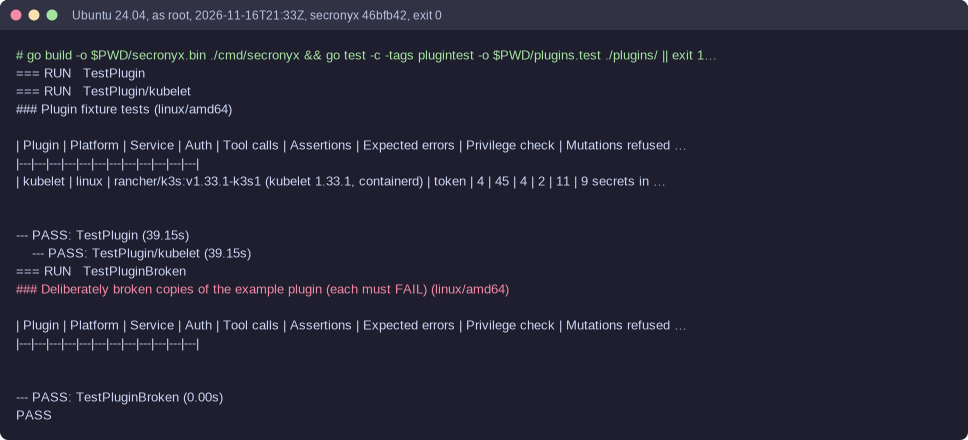
- k3s v1.33.1 (kubelet 1.33.1, containerd) on Linux (Ubuntu 24.04, Docker), test lab
How it logs in
Without an explicit choice, configure tries the methods that need no secret first, in this order.
- A bearer token
- A client certificate
The least-privilege login
The setup file that comes with it. secronyx integration setup kubelet prints it; an administrator applies it by hand.
See it run
Read-only, in layers
Every request is a GET or HEAD to the endpoint the operator configured, on a path fixed in the signed pack. Redirects are not followed, and requests known to change state are refused.
These controls narrow what the integration can do; none of them is a guarantee on its own. An administrator can still accept a more powerful login on purpose (audited and shown in status), root or Administrator on the host can replace the agent, and the integration can read whatever its login can see.